
A Clean, Simple Ecommerce Store
A streamlined ecommerce example showing how small businesses can sell online with organized products, secure checkout, and simple shipping.
For a small business beginning to sell online, the immediate need is usually a storefront customers can navigate and an owner can manage. A platform with more features isn't necessarily more useful if those features add work without helping customers choose, pay for, and receive a product.
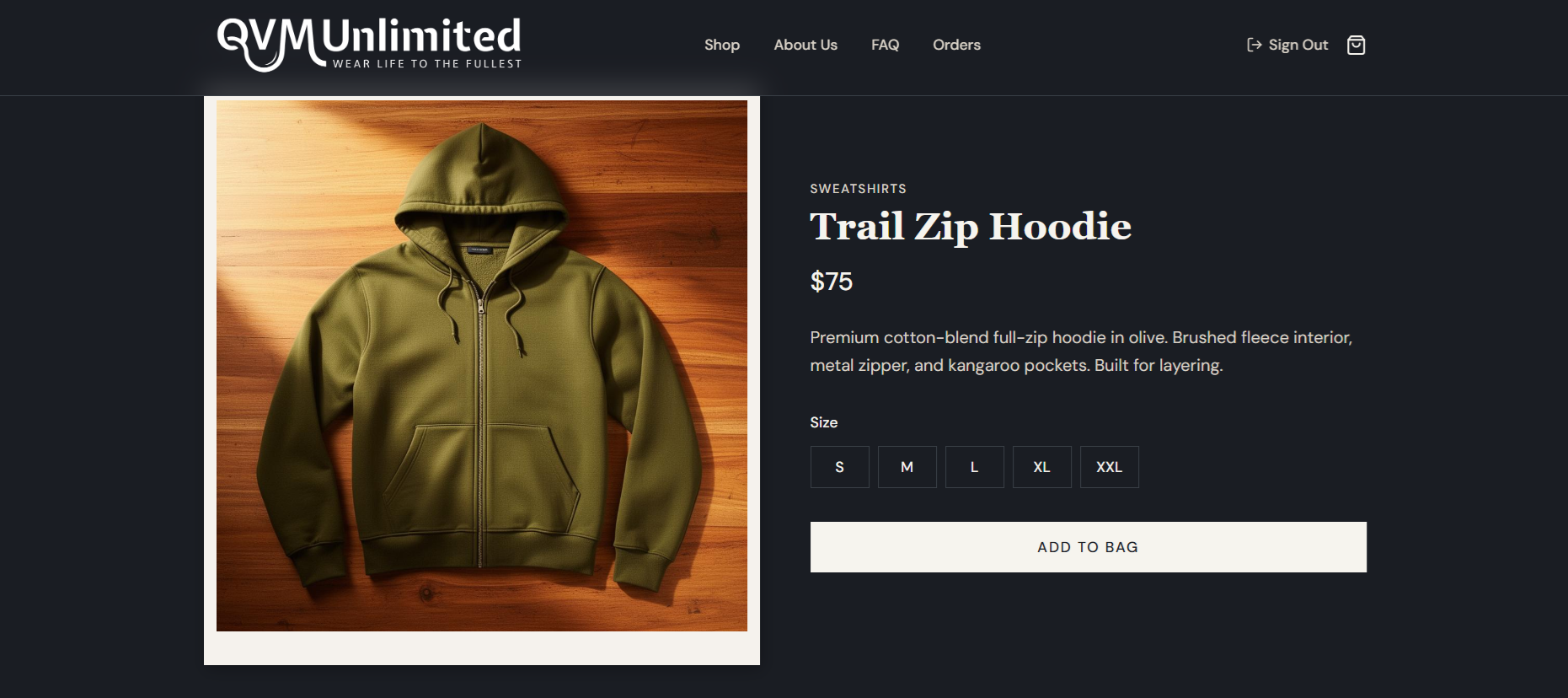
This example storefront, built by QVM Unlimited, shows a focused starting point for those needs.
Explore the live demo:
https://storefront.qvm-unlimited.com/

The example brings product browsing, checkout, shipping, and customer accounts into a manageable setup, with room to add capabilities as the business needs them.
What's Inside This Storefront
The features below address different parts of the purchase and fulfillment process, rather than treating the store as just a set of product pages.
Organized Product Catalog
The catalog uses clear navigation and product pages so customers can browse, examine details, and add items to their cart. Organizing that information helps people assess what they're buying without unnecessary steps between finding a product and checking out.
Secure Checkout with Stripe
Stripe handles payment processing. Using an established payment platform gives the store a basis for secure checkout, while the surrounding experience still needs to make payment understandable and trustworthy for a first-time buyer.
Shipping Integration with Shippo
Shippo supports calculating shipping costs, generating labels, and managing deliveries. That connects what the customer pays at checkout to the work the business needs to do to fulfill the order.
Customer Accounts with Order History
Customer accounts store order information and let people review their purchase history, which can make a repeat order and future checkout easier. The feature serves a specific returning-customer need without establishing by itself that someone will buy again.
Email Signups for Discounts
Signup forms let visitors choose to receive promotions or discount codes. An email list gives the business a way to stay in touch between purchases and share relevant new products or offers with subscribers.
Add capabilities as the business needs them
The store starts with a limited set of capabilities, while allowing more products, categories, promotions, and connected marketing tools to be added later. I'd assess those additions against customer needs and the owner's capacity to maintain them, rather than assuming growth always calls for a more complicated platform.
Where this setup may fit
A streamlined storefront can suit a business that needs clear product information, straightforward checkout, and manageable fulfillment. The fit depends on the catalog, payment, and shipping requirements, not simply the size of the business.
This type of store can be a good fit for:
- Small retail brands that want a simple online catalog and checkout
- Local shops expanding beyond in-store sales
- Creators selling merchandise such as apparel, prints, or branded items
- Small product businesses launching a limited set of products
- Businesses testing ecommerce before investing in a larger platform
Starting with a manageable store leaves more attention for understanding customers and running the business. It also gives the owner a clearer basis for deciding which additional capabilities are worth maintaining.
Get the purchase process working first
Clear product pages, reliable checkout, shipping management, and a mobile-friendly design cover much of the work a customer needs to complete a purchase. Those fundamentals deserve attention before adding features that may not address an actual problem.
The requirements can change as you learn how customers shop and what the business needs to operate. Beginning with a focused setup makes those changes easier to assess than choosing complexity in advance.
Considering a similar store
If you're considering selling online, use the demo to assess the starting requirements against your own catalog, checkout, and shipping needs. This kind of setup may be worth exploring when it covers those needs without adding features you'd have to manage before they're useful.
Learn more at:
https://qvm-unlimited.com/
Related Articles
When the Systems Working for You Start Working Against You
The tools that create leverage can also create constraints. The challenge is knowing when to keep, extend, simplify, replace, or build.
Read more →Making Business Rules Visible With Example Mapping
How concrete examples helped turn complex global pricing rules, exceptions, and operational knowledge into shared understanding before they became software.
Read more →Automate the Outcome, Not Just the Task
A practical way to think about workflow automation, AI agents, total cost of ownership, and how much autonomy a business process actually needs.
Read more →